To query all the Top-up requests raised for your Travel Agency.
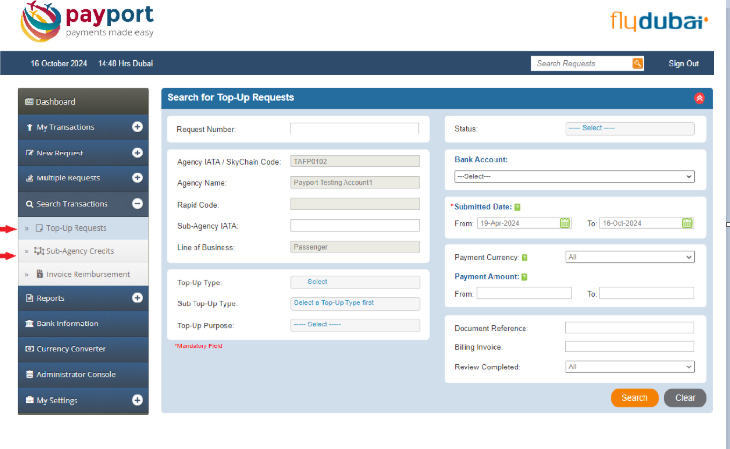
- Click the "Search Transactions" from the dashboard menu
- Click the "Top-Up Requests"/ Sub-Agency Credits as per your search requirement
- Click on "Search" button and it will display all your requests within last 6 months or filter the search option as per required criteria (Sub-Agency Credits shows historical data of all requests till date)
- You can view/ track/ modify your Top-up requests from your search results by clicking on the request number
- Please check attached video for reference
Was this article helpful?
That’s Great!
Thank you for your feedback
Sorry! We couldn't be helpful
Thank you for your feedback
Feedback sent
We appreciate your effort and will try to fix the article